How it works
Connect Xero once. Dividend Box reads your figures (read-only) and refreshes them every 15 minutes or when you ask.
1. The box
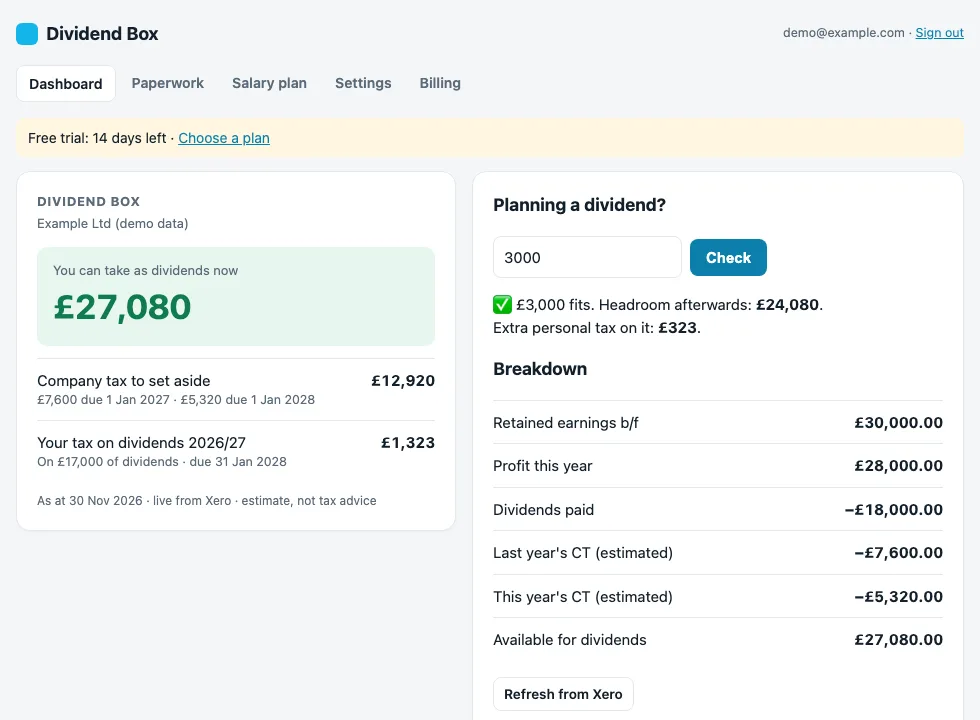
- You can take as dividends now: retained earnings plus this year's profit, minus dividends paid, minus corporation tax.
- Company tax to set aside, with HMRC due dates.
- Your tax on dividends this tax year, and when it's due.
- Planning a dividend? Type an amount to see if it fits.
2. Paperwork, done for you
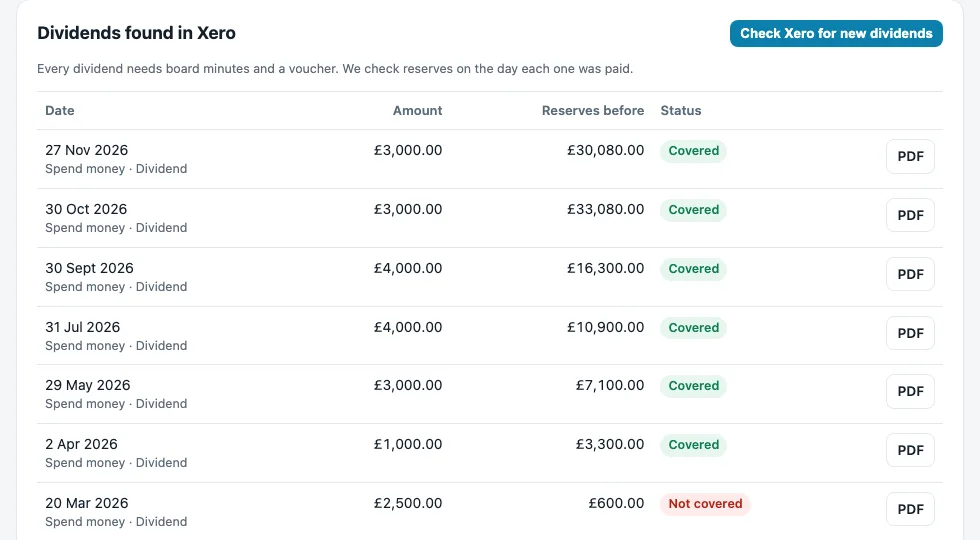
Dividend Box finds every dividend in Xero, checks reserves on the day it was paid, and makes the board minutes and dividend voucher as a PDF.
3. The best salary for your profit
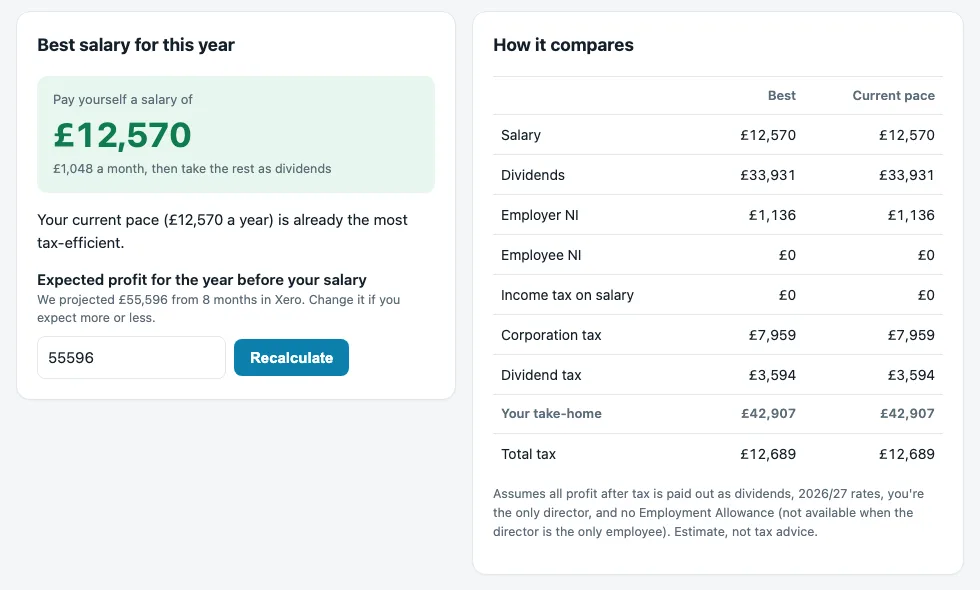
Every salary from £0 to £60,000 in £10 steps, with NI, income tax, corporation tax and dividend tax. You see the split that leaves you the most.
4. It keeps you posted
Monthly email
Your box on the 1st of every month.
Alerts
If a dividend isn't covered, or you go over the limit.
Private link
Pin the box on your phone, in Notion, or share it with your accountant.
What we read, and what we don't
From Xero, read-only: balance sheet, profit and loss, organisation details and financial year end, chart of accounts, and the bank payments and manual journals posted to your dividends account. We never write to Xero. Disconnecting revokes our access and deletes your data.
All screenshots and figures on this site are from Example Ltd, a made-up company.
See your own numbers in two minutes
Free for 14 days · no card needed · read-only access to Xero
Connect to Xero